Mini Pottery Photography: The Complete Seller’s Guide to Taking Product Photos That Sell on Etsy & Instagram
Introduction
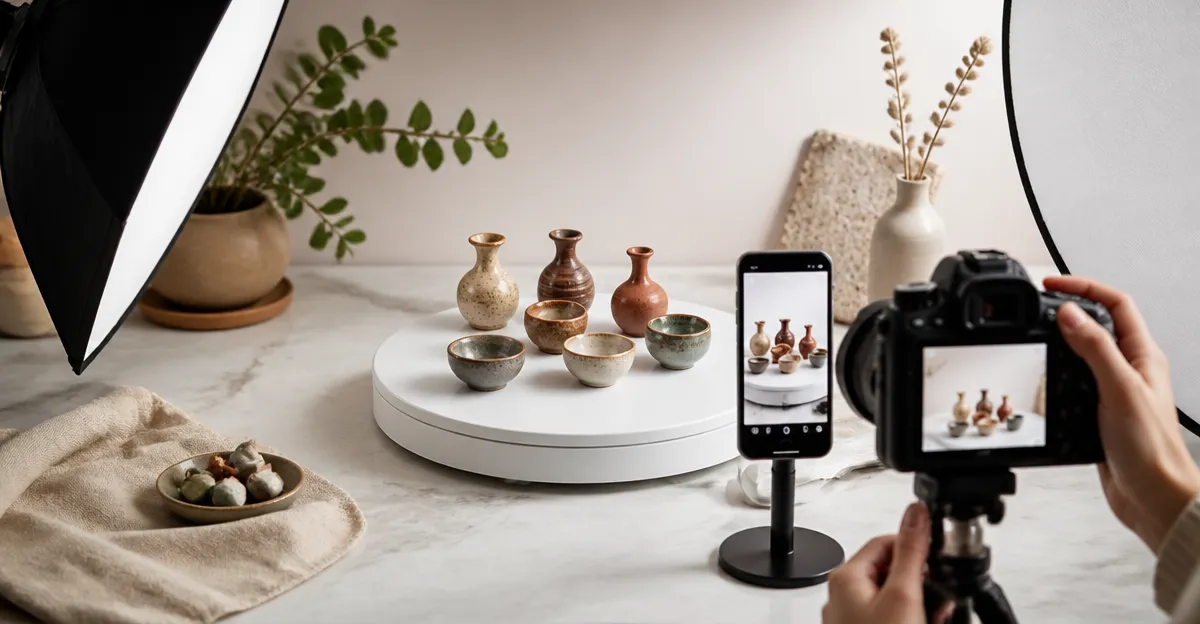
Creating compelling images of miniature pottery is essential for standing out on Etsy and Instagram. This guide explains the technical foundations, lighting solutions, backdrop options, and presentation accessories that transform modest pieces into market‑ready visuals. Readers will learn how to select affordable yet professional equipment, set up a portable studio, and apply best‑practice shooting techniques. By the end of the article, sellers will have a step‑by‑step workflow that reduces editing time and boosts conversion rates.
Background & Context
Online marketplaces prioritize visual appeal; high‑resolution, well‑lit photos generate higher click‑through and purchase rates. Miniature pottery presents unique challenges because its small size amplifies shadows and reflections. Understanding color rendering, diffusion, and angle control is therefore crucial. In addition, platforms such as Instagram favor consistent aesthetic feeds, which require uniform backgrounds and lighting. Combining these principles with a portable studio allows creators to shoot anywhere, from a home desk to a craft fair booth.
Essential Studio Components
Building a functional studio does not require a full‑size photography room. The following components form the backbone of an efficient mini pottery setup:
- LED light box with high CRI for accurate color reproduction.
- Interchangeable backdrops that simulate various textures.
- Rotating display stand for 360° product views.
- Diffusers and reflectors to soften harsh light.
Each component can be sourced individually, but integrated kits often provide better value and faster assembly.
Lighting Solutions
Consistent, shadow‑free illumination is the most important factor for miniature pottery. Two highly rated options dominate the market.
The PULUZ Mini Photo Light Box offers 104 high‑quality LED beads with a CRI greater than 95, ensuring true color capture. Its dual‑window design allows front‑on and top‑down shooting, which is ideal for highlighting glaze details. At $26.99 and a 4.5‑star rating from 6,547 reviews, it balances affordability with professional performance.
Another strong contender is the DUCLUS 12x12 Light Box. This model provides 120 dimmable LEDs, a CRI above 95, and a unique Velcro front cover with three lighting modes. Priced at $29.99 with a 4.6‑star rating from 3,614 reviewers, it excels in flexibility for both flat‑lay and angled shots.
Both units assemble in under three seconds, feature USB power for on‑the‑go use, and include multiple PVC backdrops. Selecting between them depends on budget, desired lighting modes, and the need for a front‑cover window.
Backdrop Options
Backgrounds set the visual context for pottery and can evoke rustic, modern, or studio aesthetics. The Yoocheese Photo Backdrop Kit supplies 20 realistic patterns on double‑sided matte paper, including wood, stone, and concrete textures. At $19.80 and a 4.6‑star rating from 1,165 reviews, it offers the most variety per dollar.
For sellers who prefer integrated solutions, both the PULUZ and DUCLUS light boxes include six PVC backdrops each, covering basic colors such as white, black, and green. These are useful for quick swaps but lack the nuanced realism of the Yoocheese kit.
When choosing a backdrop, consider the dominant style of your pottery line. Hand‑thrown earth tones pair well with wood or stone textures, whereas glossy glazes may benefit from a neutral white or black background to emphasize sheen.
Rotating Display for 360° Views
Instagram Reels and Etsy product galleries increasingly feature rotating product videos. The YVV Rotating Tumbler Display Stand provides a smooth, quiet 15‑seconds‑per‑rotation turntable powered by USB or AA batteries. Priced at $9.99 with a 4.7‑star rating from 6,690 reviews, it is compact enough to sit on a desk yet sturdy enough to support up to 70 oz.
Although marketed for tumblers, the stand works equally well for small pottery pieces, allowing creators to capture every angle without manual repositioning. Its non‑slip base and directional control ensure stable, repeatable shots.
Integrating the rotating stand with a light box creates a seamless workflow: place the pottery on the turntable, start the rotation, and record a short video while the LEDs provide even illumination.
Comparison / Selection Guide
| Feature | PULUZ Mini Photo Light Box | DUCLUS 12x12 Light Box | Yoocheese Backdrop Kit | YVV Rotating Stand |
|---|---|---|---|---|
| Price | $26.99 | $29.99 | $19.80 | $9.99 |
| LED Count | 104 | 120 | N/A | N/A |
| CRI | >95 | >95 | N/A | N/A |
| Dimmable | Yes (controller) | 0‑100% dimmable | N/A | N/A |
| Backdrops Included | 6 PVC colors | 8 PVC colors | 20 double‑sided patterns | None |
| Portability | Folds to 1.5" thick | Folds in 3 seconds | Foldable board, carry bag | Compact 4.5" high |
| Rating (Stars) | 4.5 | 4.6 | 4.6 | 4.7 |
| Best For | Quick dual‑angle shoots | Adjustable lighting modes | Varied realistic textures | 360° video content |
When budget is the primary concern, the PULUZ box delivers solid performance at the lowest price. Creators who need precise lighting control should consider the DUCLUS model. For visual diversity, the Yoocheese backdrop kit adds professional‑grade textures without additional purchases. Finally, the YVV rotating stand is the most cost‑effective way to produce dynamic video content.
Best Practices & Tips
Beyond equipment, technique determines the final image quality. Follow these actionable steps:
- Set up a consistent shooting zone. Place the light box on a stable table, use the same background for an entire product line, and keep the camera at a fixed height.
- Use a diffuser. The PULUZ and DUCLUS kits include a thin white fabric diffuser; attach it to the top to eliminate hotspots and soften shadows.
- Adjust white balance. Set the camera’s white balance to 5500 K (daylight) to match the LED color temperature and preserve glaze hues.
- Employ the rule of thirds. Position the pottery off‑center to create visual interest while leaving space for captions on Instagram.
- Capture multiple angles. Combine front‑on, top‑down, and 360° video clips to showcase form, texture, and functional details.
- Post‑process minimally. Use software to correct exposure and crop, but avoid heavy filters that misrepresent color.
- Optimize file size. Export JPEGs at 72 dpi for web use; keep file size under 1 MB to ensure fast page loading on Etsy.
Applying these practices consistently will improve brand perception and increase buyer confidence.
Frequently Asked Questions
1. Do I need a DSLR camera for mini pottery photography?
A high‑resolution smartphone can produce acceptable results if paired with a stable light box and proper lighting. However, a DSLR or mirrorless camera offers greater control over aperture and focus, which is advantageous for highlighting fine glaze details.
2. How can I reduce reflections on glossy pottery?
Use the included light diffuser and position the LED lights at 45‑degree angles. Adding a white reflector opposite the light source can fill in shadows without creating additional glare.
3. Is a tripod necessary?
pWhile not mandatory, a small tripod ensures consistent framing and eliminates camera shake, especially when using slower shutter speeds for deeper depth of field.
4. Can I shoot outdoors with these light boxes?
Yes. The USB power cable (up to 6 feet) allows placement near a portable power bank. Avoid direct sunlight, as it can overpower the LED output and cause color shifts.
5. How many backdrops should I keep on hand?
Start with three versatile options: white, black, and a textured pattern that matches your brand aesthetic. Expand as your product line diversifies.
6. What resolution should I use for Etsy listings?
Etsy recommends a minimum of 2000 pixels on the longest side. Aim for 3000 pixels to future‑proof images for print marketing.
7. How do I create a smooth rotating video?
Place the pottery on the YVV Rotating Stand, start the rotation, and record using a smartphone on a tripod. Edit the clip to a 15‑second loop for Instagram Reels.
Conclusion
Professional mini pottery photography is achievable with a modest investment in lighting, backdrops, and a rotating display. By selecting the right tools—such as the PULUZ Mini Photo Light Box, DUCLUS 12x12 Light Box, Yoocheese Photo Backdrop Kit, and YVV Rotating Stand—sellers can produce consistent, high‑quality images that attract customers on Etsy and Instagram. Implementing the outlined best practices will streamline workflow, reduce post‑production time, and ultimately increase sales.
Products Featured in This Guide
PULUZ Mini Photo Light Box
Price: $26.99 | Rating: 4.5/5 (6,547 reviews)
Featured for its high‑CRI 104‑LED array, dual shooting windows, and ultra‑quick assembly, making it ideal for consistent mini pottery shots.
DUCLUS 12x12 Light Box
Price: $29.99 | Rating: 4.6/5 (3,614 reviews)
Featured for its dimmable 120‑LED system, three‑mode front cover, and extensive backdrop set, providing flexibility for varied lighting styles.
Yoocheese Photo Backdrop Kit
Price: $19.80 | Rating: 4.6/5 (1,165 reviews)
Featured for its 20 double‑sided realistic backgrounds, compact foldable board, and matte, wipe‑clean surface that reduces glare on glossy pottery.
Glendan 12x12 Light Box
Price: $23.99 | Rating: 4.4/5 (6,732 reviews)
Featured for its stepless dimming, six waterproof PVC backdrops, and lightweight portable design suitable for hobbyist potters.
YVV Rotating Tumbler Display Stand
Price: $9.99 | Rating: 4.7/5 (6,690 reviews)
Featured for its quiet 15‑second rotation, USB power, and ability to showcase pottery from all angles in video content.